
Wordplay
Animated text and captions for DaVinci Resolve. One engine, every animation, no keyframes.
- The Wordplay Engine: toggle Fade, Slide, Scale, Blur, Rotate, Tracking, Mask, Drift, Pulse or Flicker, pick an easing, done
- 41 ready-made presets, each one a separate drag-and-drop title with the full engine underneath
- Animate the whole text, or letter by letter in seven orders with a stagger you set
- Font, colour, gradient, outline, shadow, glow, box and motion blur, all in the Inspector
- Any frame rate, any resolution, 16:9 or 9:16. Trim the clip and the exit still lands
Instant download. One-time payment, no subscription. Works in Resolve Free and Studio.
What you can make with it.
Captions for reels and podcasts, kinetic hooks, cinematic openers, counters. Straight out of the pack.
Don't take our word for it
5.0 from 14 reviewsWordplay is probably the standout for me. I’ve already got about five presets I automatically reach for now.Sian Murray
Been using Wordplay for client reels this week and it’s saved me a stupid amount of time. The fact I can change everything in the inspector instead of opening Fusion is probably the biggest thing for me.Tom Bailey
Had a last minute edit come in and Wordplay genuinely saved my arse. Client wanted loads of animated text and I really didn't fancy building all of it.Jamie White
Wordplay has been really useful for short form stuff. I can get something looking good in a few seconds instead of keyframing the same text animation again and again.Sam Roberts
I edit loads of talking head videos and Wordplay has made them feel a lot less repetitive. Especially when you’ve got 10 videos from the same shoot.Amy Richardson
I’ve been using Wordplay for a couple of weeks now and the main thing is just how quick it is. I can get a nice bit of text movement in without turning a five minute job into half an hour.Beth Roberts
I bought it mainly for the captions but I've ended up using the cinematic titles way more than I expected. Really easy to tweak without everything breaking.Sophie Carter
The text presets are really nice. Nothing too crazy, just clean animations that I can actually use on client work without them looking cheesy.Emily Foster
The captions are really nice because they don’t instantly make a video look like TikTok. You can keep them pretty subtle.Ellie Ward
I’m quite picky with text animation and normally end up doing it myself. There’s a lot in Wordplay I’d genuinely use though.Grace Palmer
The simple titles are probably my favourite ones. I like that there are presets that aren’t trying too hard.Nicole Grant
I’ve used the text presets on two wedding films now and they look really nice. There’s enough control that you can keep things quite soft.Molly Jenkins
The text presets are probably my favourite because you can make them feel completely different just by changing the typeface.Laura Mitchell
The animated text is probably the first pack I’ve bought where I haven't immediately wanted to change absolutely everything.Megan Davies
41 presets, each a separate drag-and-drop.
Every preset is the full engine underneathLives in your Effects Library. Nothing else to open.
No plugin, no hub app, no licence server. The presets sit under Fusion Titles like the built-in ones, in Captions, Letters, Kinetic, Styled, Utilities and Engine folders, hover-scrub in the viewer, and every control is in the Inspector you already use.


Meet the Wordplay Engine
Keyframing a Text+ by hand takes an evening. The Wordplay Engine takes six toggles. Switch on the moves you want, pick how they ease, choose whole text or letter by letter, and it is done. Every preset in the pack is the same engine with different defaults, so nothing is locked.
Animate the full text, or every letter in it.
One toggle for the whole line, or a stagger per letter in any of seven orders.
Pick a curve, or draw your own.
Six easing styles for the in, six for the out. Overshoot and elastic are built in. And a real curve editor in Fusion when you want the motion exactly your way.
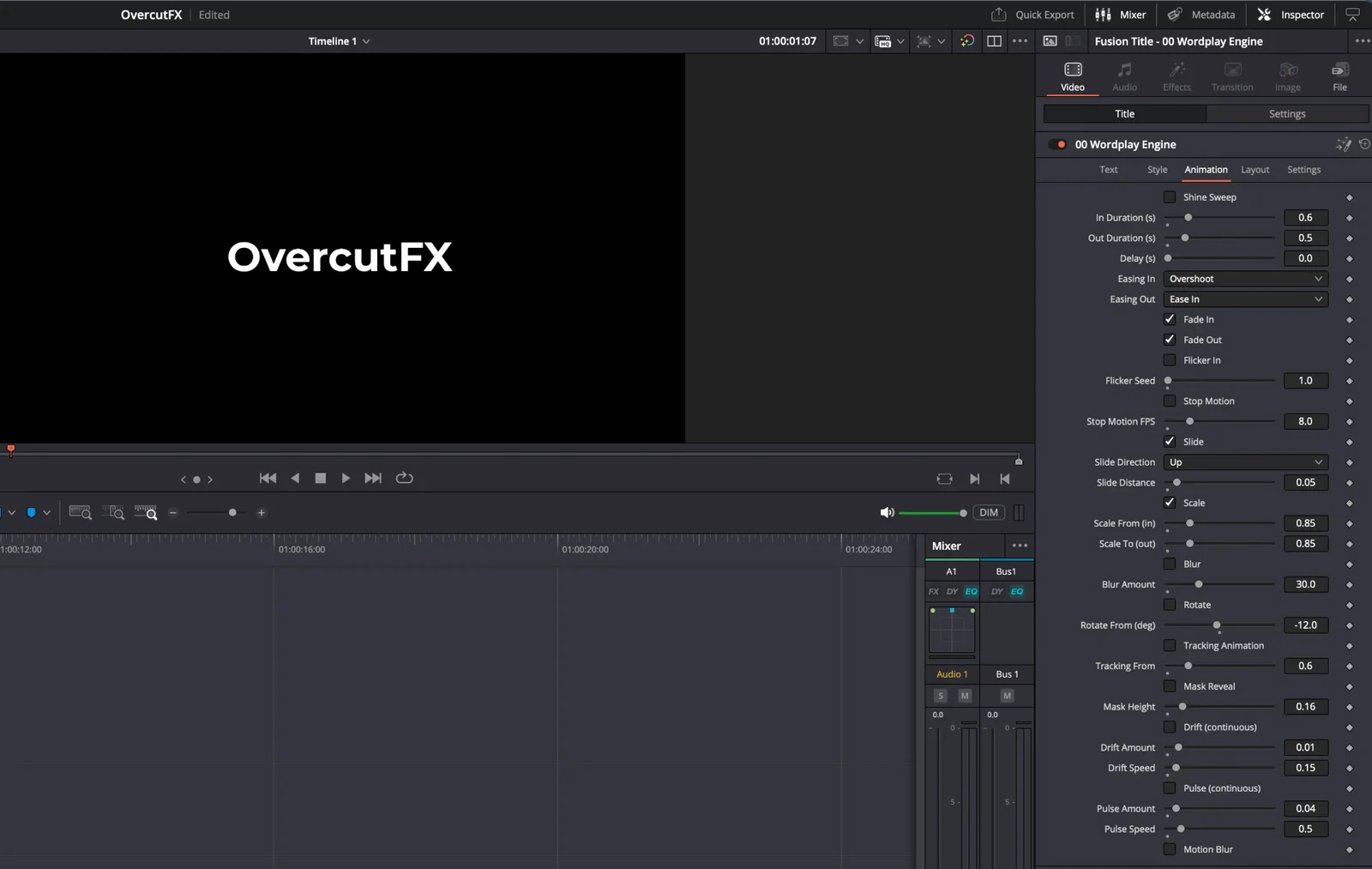
Every control, exposed. Nothing hidden in Fusion.
Most packs give you four sliders and a text box. Wordplay gives you the lot, sorted into Text, Style, Animation and Layout tabs so it reads like a product rather than a wall of controls.
Every template in every OvercutFX pack uses the same control names, so once you know one, you know them all.
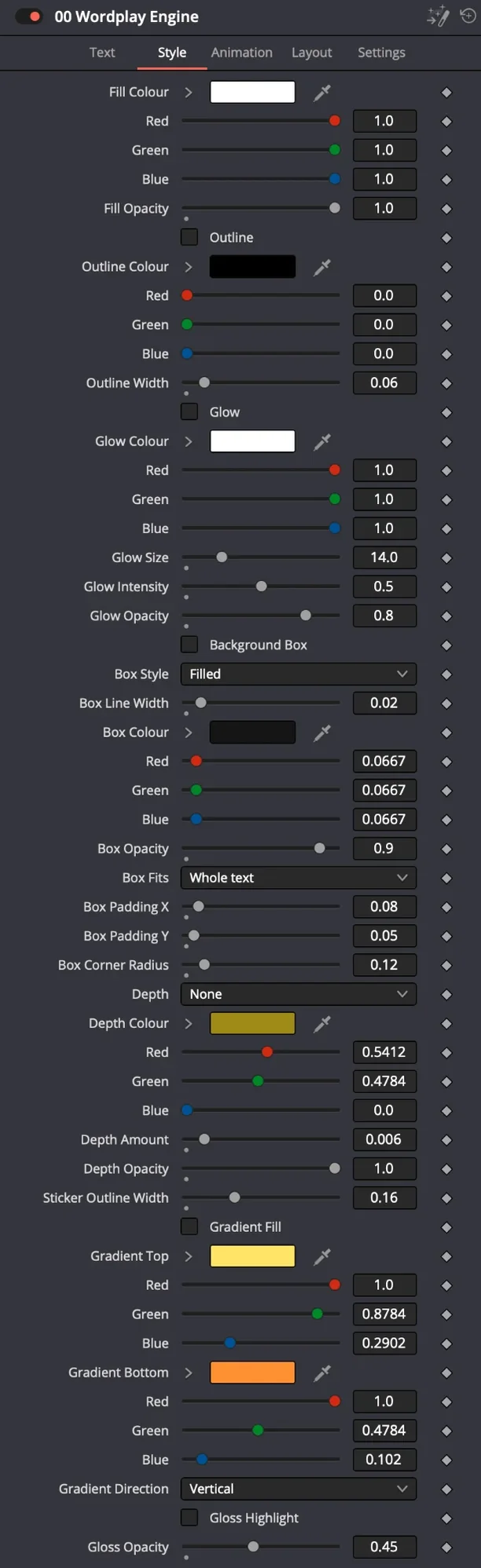
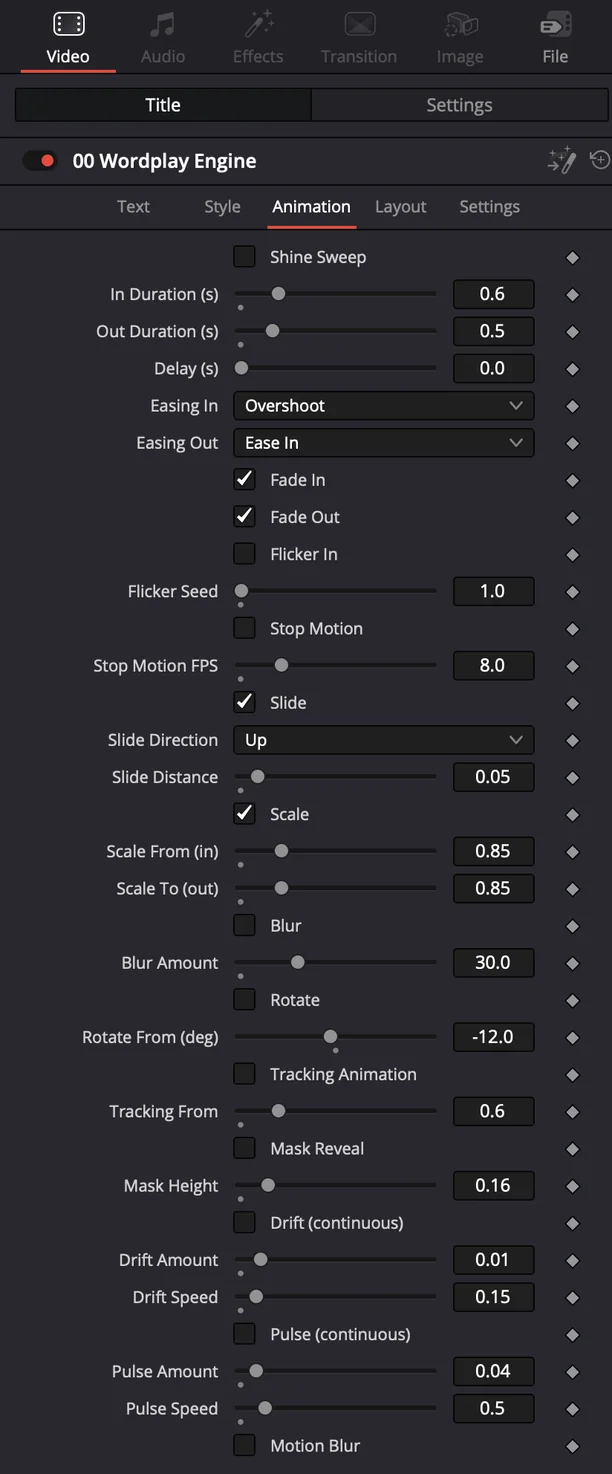
More than in and out.
Keep the text moving while it is on screen, and style every part of it from the same Inspector.
animation combinations. One engine.
Every animation module, easing curve and text split, multiplied together. Only the switches are counted; the sliders would make the number silly.
Everything you get
Wordplay Engine
Every animation, zero keyframes, in one title.
Presets
14 captions, 6 letter-by-letter, 11 kinetic titles, 7 styled looks, a counter, a word swap and the engine, each its own drag-and-drop.
Fonts, licensed
Montserrat and Bebas Neue in the download with a one-click install, so every preset looks right out of the box. Everything else uses fonts already on your machine.
Compare the packs
| Wordplay£39 | Seamless£39 | Namedrop£39 | Pointer£29 | Everything | |
|---|---|---|---|---|---|
| Text engine and 41 presets | Yes | No | No | No | Yes |
| 43 transitions | No | Yes | No | No | Yes |
| 24 lower thirds, titles and tags | No | No | Yes | No | Yes |
| 30 callouts, social elements and effects | No | No | No | Yes | Yes |
| 40% off every future pack | No | No | No | No | Yes |
| Lifetime updates | Yes | Yes | Yes | Yes | Yes |
Quick answers
Does this work in DaVinci Resolve Free?
Yes. Nothing in Wordplay uses a Studio-only tool.
How do I install it?
Install the fonts from the download, then drag the .drfx file onto the Fusion page. Resolve installs it and the presets appear under Fusion Titles.
Is this a subscription?
No. One payment, and every update to the pack is free for as long as it exists.
Can I use it on client projects?
Yes, unlimited commercial use in anything you edit. The only thing you can't do is resell or share the templates themselves.
Will it slow my machine down?
Presets are built to stay light, so they play back smoothly with motion blur off. Motion blur is one toggle away when you render.
Do you offer refunds?
Packs are digital downloads delivered instantly, so all sales are final and we don't offer refunds for change of mind. If a template doesn't work in a supported version of Resolve, email hello@overcutfx.com and we'll fix it or refund you.